Emulator
The Q1 Emulator architecture is shown below. Operationally it consists of two paths: Initialisation (blue up arrows) and Runtime emulation (yellow down arrows). The Q1 Emulator makes use of a z80 emulator which in turn interfaces to memory and IO. Memory is loaded with programs by a loader and IO devices are initialised: display buffer is cleared and disk is populated with a filesystem. These abstractions are described in the Python modules section.
Once the initialisation is done, the emulator enters a repeated series of instruction steps.

Q1 Emulator Architecture
The emulator runs the program and displays the runtime status of the program counter, registers, decoded instructions, etc.
The emulator can be run with disassembly:
> python3 emulator.py -d
; jump to START
0000 c3 e5 01     ; jp 0x1e5        | SP=0000, A=00    BC=0000, DE=0000, HL=0000
; START()
01e5 ed 56        ; im 0x1          | SP=0000, A=00    BC=0000, DE=0000, HL=0000
01e7 3e 04        ; ld a, 0x4       | SP=0000, A=00    BC=0000, DE=0000, HL=0000
01e9 d3 01        ; out (0x1), a    | SP=0000, A=04    BC=0000, DE=0000, HL=0000
; 01eb setup registers for copying and clearing
01eb 11 3f 00     ; ld de, 0x3f     | SP=0000, A=04    BC=0000, DE=0000, HL=0000
01ee 21 80 40     ; ld hl, 0x4080   | SP=0000, A=04    BC=0000, DE=003f, HL=0000
01f1 f9           ; ld sp, hl       | SP=0000, A=04    BC=0000, DE=003f, HL=4080
01f2 eb           ; ex de, hl       | SP=4080, A=04    BC=0000, DE=003f, HL=4080
; 01f3 copy (function calls) from 0x003f:0x0047 to 0x4080:
01f3 01 09 00     ; ld bc, 0x9      | SP=4080, A=04    BC=0000, DE=4080, HL=003f
However, for interactive sessions it is better to skip disassembly and instruction decode, and use the display emulator:
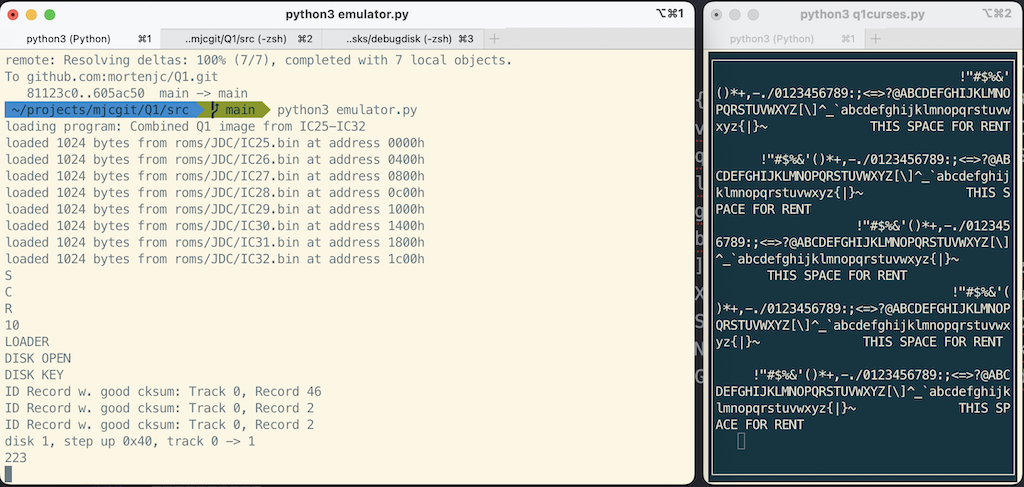
Left window: debug output and keyboard input. Right window display emulator.